
Setup is going to be key here.
When there is one person overseeing multiple rotations at the same location, walk the leader through these setup components:
- Make sure the actual rotation primary leader is added and select their name as the primary. Don’t set it as the form filler’s name if they're not leading the group.
- After the intake form is completed, check the rotation in Hubspot to ensure the primary leader's email is listed (see example below)
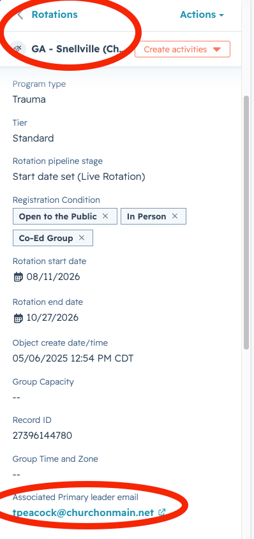
- If email address is not correct, submit a ticket to tech team quickly, this will affect the primary leader recieving the participant registration emails.